Automating a 2007 Peachtree Decco amplifier
The Peachtree Audio Decco (2007) still sounds great to me, but there are two things I wanted to improve. The USB input port on the one I have is broken. It failed twice. The second time, I didn’t want to send it back to the manufacturer again… Additionally, the volume and input selection need to be manually adjusted every time after powering on. It takes about 20 seconds for it to warm up before the volume dial can be turned up.
The first one has an easy answer: ignore the USB port and use a Raspberry Pi with a HiFiBerry DAC HAT into one of the analogue inputs instead.
The second one is a more fun one. Upon cold start, music starts playing, but the amplifier is still off, and the volume dial is all the way down. The whole ritual of turning it on takes thirty seconds. Hence I wanted to automate it.
Two Raspberry Pis
The first version used two. A Pi Zero 2W with an infrared LED, impersonating the remote control. A Pi 3 running HiFiBerryOS with the DAC. The Zero logged into the Pi 3 over SSH to ask whether ALSA was playing anything, and if it was, blinked the amplifier awake.
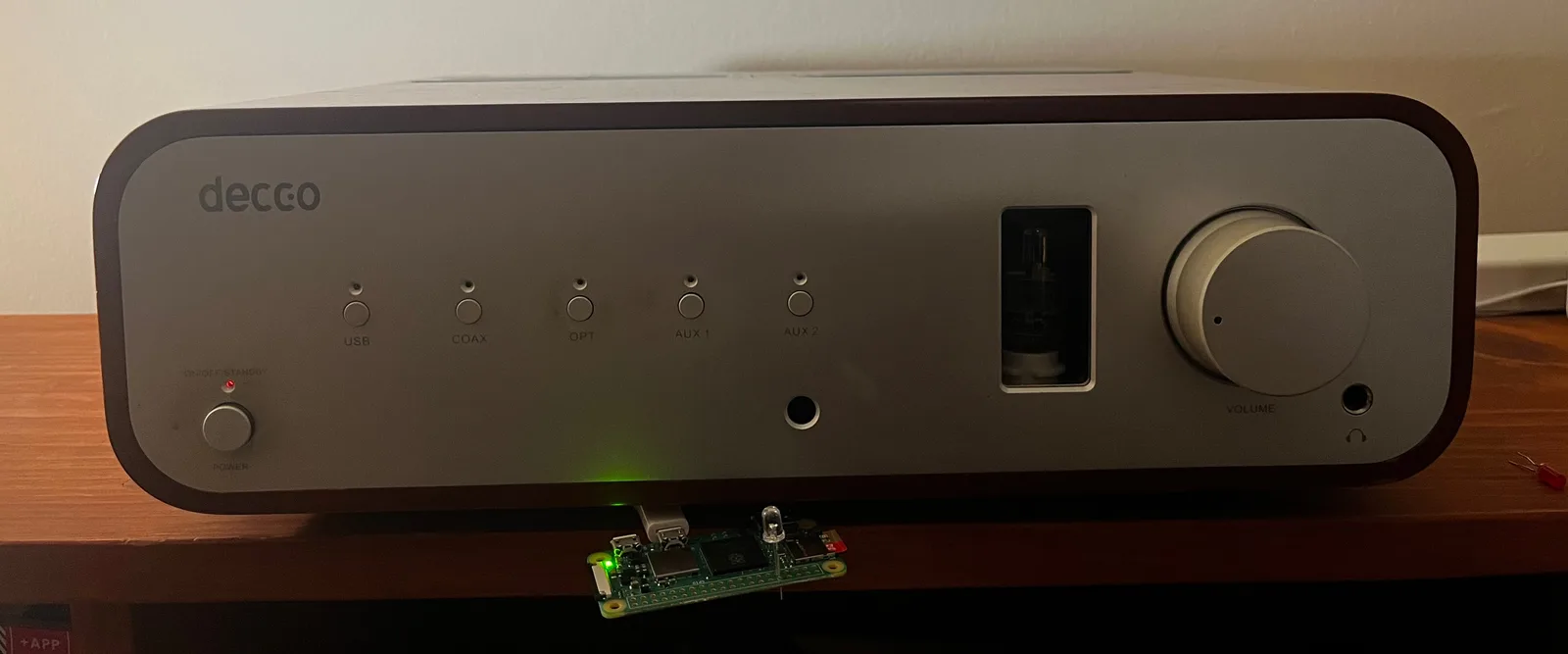
It worked. It was also two computers doing one computer’s job. The obvious consolidation was to move the IR LED onto the Pi that already had the DAC, and that is where it stalls: HiFiBerryOS is built with buildroot, and a buildroot image contains what it was built with. LIRC is not in it. Adding LIRC means rebuilding the whole operating system.
So the consolidation went the other way. Not LIRC onto HiFiBerryOS: HiFiBerryOS off the Pi entirely. The Pi 3 now runs ordinary Raspberry Pi OS, where all of it is just a package. The HiFiBerry DAC, LIRC and the IR LED, and shairport-sync in a container for AirPlay. Both functions on one device.
Inside the amplifier
There is room in the case, so that is where it went.
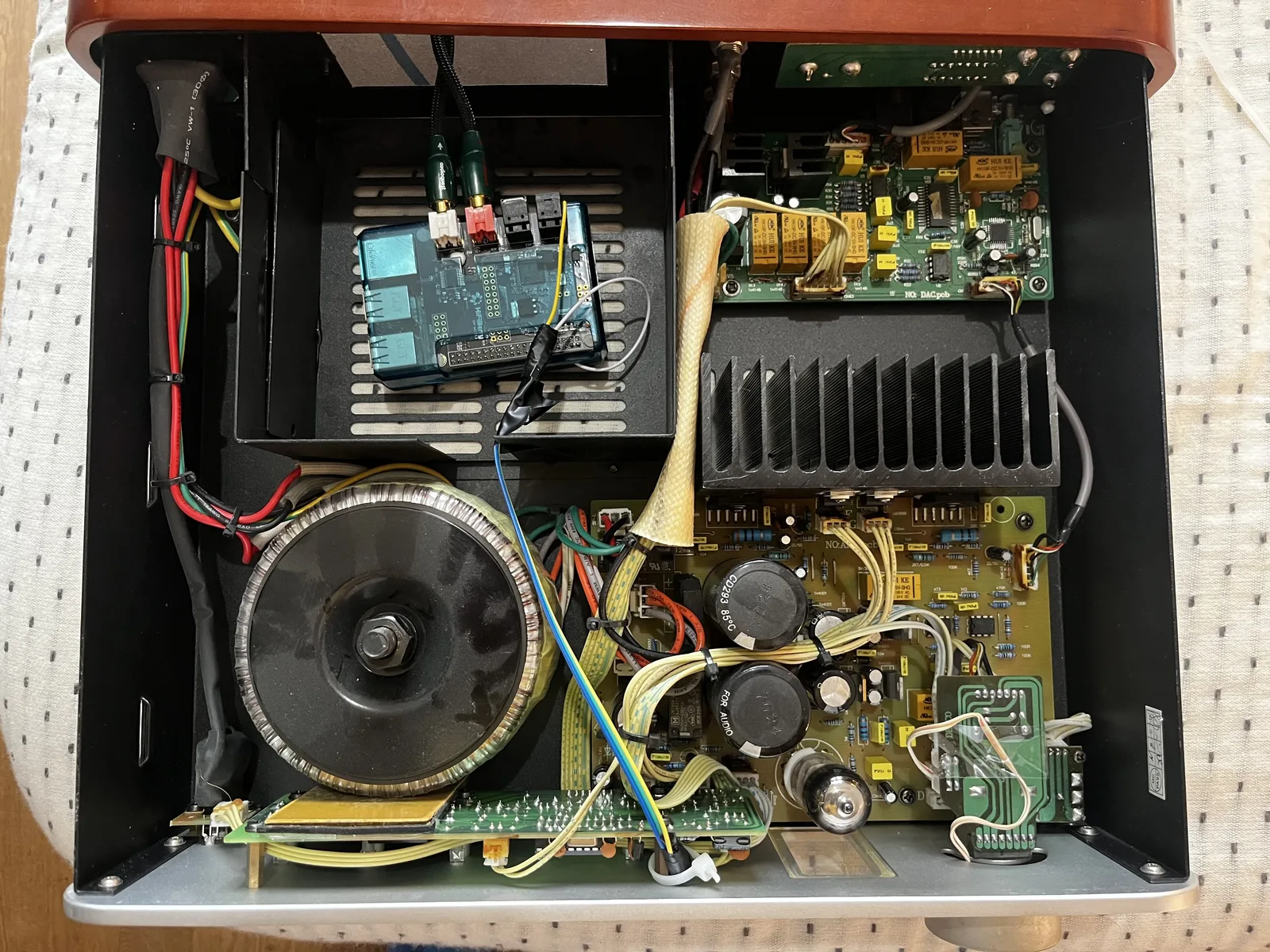
The IR LED points directly at the Decco’s own receiver from a few centimetres away. At this range, we do not need a transistor or a resistor to trigger it. Nothing about the amplifier itself was modified.
The remote configs
Both LIRC config files are in the repo, recorded from the original handsets:
decco.lircd.conf— the Peachtree Audio Decco remotepredac.lircd.conf— the Peachtree Audio preDac remote
The Decco one is not mine to begin with. It started as the config Nick Touran
published at
Part of the Thing,
who did the original capture and the irrecord work. Without that file this
project would not have started at all. It had one issue: holding volume made the
motor drive stutter instead of sweeping.
My own remote was broken by then, so I soldered bodge wires across it,
re-recorded it with irrecord, and the new capture came back with a repeat
header the original does not have, and a gap of 108530 against the original’s
- The volume is smooth now. Both values are in
decco.lircd.conf.
The preDac config is there because, as far as I can tell, no preDac LIRC config has ever been published anywhere.
Small things
When starting up, the volume knob does not move to exactly the same spot every time, to try to not wear the potentiometer out.
When silence has run for a while, the amplifier switches to an unused input, then to another one, before shutting down. This gives a physical indicator that the amplifier will shut off soon.
The code, both configs, and the wiring are in Peachtree_Decco_hifiberry_IR.
Added since: Home Assistant integration, to automate the amplifier at home and track stats.